Lists
Call lists built for cold calling. From filter rules, not from Excel.
You tell Coldfire who you want to call: dentists in Hamburg, with a phone number, never called. Coldfire finds the matching leads fresh every time you start, leaves out blocked and done ones, and reserves them for you. Then the Power Dialer dials.
No setup fee · cancel anytime
- 38
- standard fields in 8 categories, plus your own fields
- 24 h
- your started leads stay reserved for you
- 10
- lists you can pin to your sidebar
- 1.5M+
- dials have run through Coldfire since 2023
Where lists go wrong in cold calling
01
The Excel list is out of date tomorrow
Export, filter, hand out. By the time the file reaches the team, new leads have come in and others have long been called.
02
Blocked leads slip through
Whoever said “Please never call again” is back in the next list. That costs nerves and your reputation.
03
Two callers, one lead
Without reservations, two colleagues grab the same list and call the same practice ten minutes apart.
Lists in one minute
Set rules, check the preview, start the list: a run in the Coldfire demo workspace (German voice-over, English subtitles).
All companies, people and numbers shown are demo data.
How it works
- 1
Set rules
Under Lists → Create List you pick fields and conditions, for example: city is Hamburg, has a phone number, calls equal 0.
- 2
Check the preview
The preview counts how many leads match and shows examples. If it's off, change a rule and refresh.
- 3
Save and share
Personal or for the whole team, optionally assigned to specific colleagues. One click pins the list to your sidebar.
- 4
Start
Click “Start List”: Coldfire fetches the matching leads, reserves them for you for 24 hours, and the Power Dialer dials.
What lists do for you
Blocked and done leads stay out
Every list automatically leaves out blacklisted leads, leads with an active call-list block and leads marked as done. You set the block on the lead with a date, or a workflow sets it, for example after “not interested”. If you do want to see blocked leads, put the field in your filter yourself.
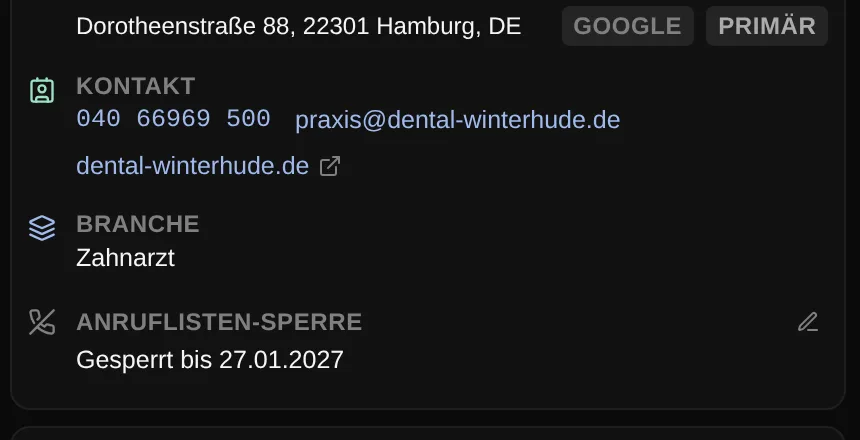
No lead called twice
When you start a list, Coldfire reserves the loaded leads for you for 24 hours. Colleagues on the same list get other leads. And because a list isn't a snapshot, new matching leads are in the next time you start.
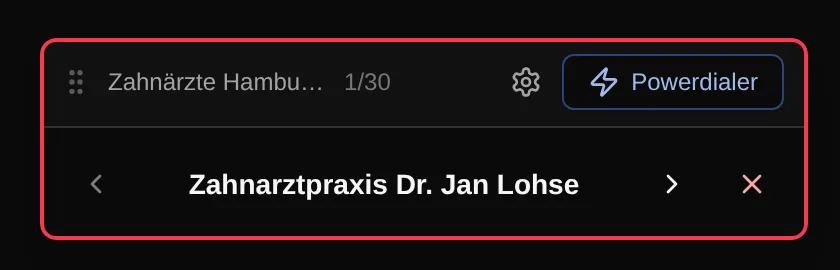
Personal, shared, pinned
Everyone builds personal lists. Whoever may share lists makes them visible to the team or assigns them to specific colleagues. Pin up to 10 lists to the sidebar, with icon, color and lead count.
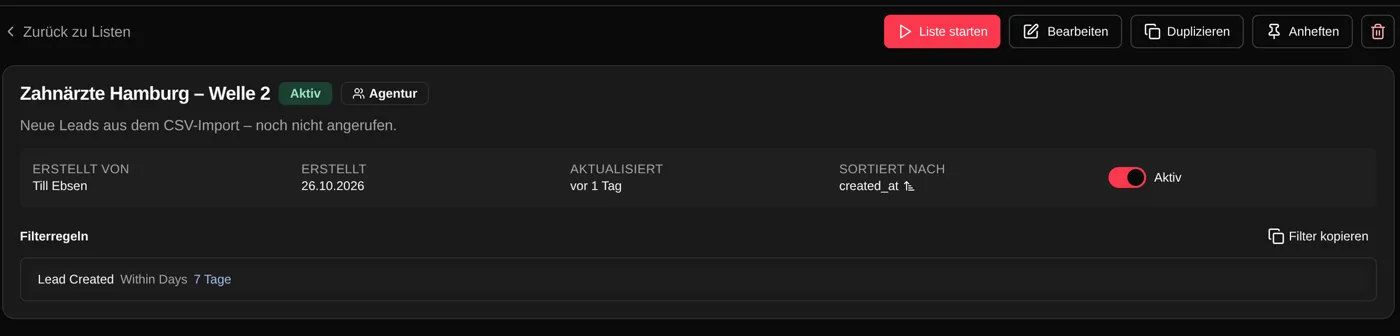
38 fields plus your own
Company, category, source, city, ZIP code and ZIP range, contact details, lead status, last contact, number of calls, note content and open tasks, including tasks with a specific tag. Plus your own lead and contact fields with their values.
AND, OR, NOT
You group rules: all of them or any of them. Groups can be nested and flipped with NOT. That's how you build “never called or no contact in 30 days, but not the ones who are already customers” without a line of SQL.
Preview before you save
The preview counts the matching leads and shows examples. Ctrl+Z takes a step back. You copy filters and paste them into another list, or duplicate the whole list.
Time rules down to the hour
Last contact older than 14 days, lead created in the last 7 days: date rules count in days, weeks and months. For your own date-and-time fields also in hours, such as “documents sent less than 48 hours ago”.
Sorted the way you want to call
Sort by one or more fields, including your own lead fields. Empty values go first or last, your choice. The Power Dialer dials in that order.
From “My Leads” or via the API
In “My Leads” you filter on the spot and save the filter as a list. Through the API you read your lists and their leads without Coldfire reserving them.
Who it's for
Setters and openers
You click start and call. The list has already decided which leads are next.
Team leads
You build the lists for the team and assign them. Everyone gets their own leads, blocked ones stay out.
Solo callers
Lists are in the Solo plan just like in the Team plan. You only need sharing and assigning once colleagues join.
Excel list or Coldfire list
| Excel export | With Coldfire lists | |
|---|---|---|
| New leads | in the next export | in on the next start |
| Blocked leads | filter them out by hand | stay out automatically |
| Splitting across the team | divide the file | leads reserved for 24 hours |
| Conditions | column filters | AND, OR, NOT, nested |
| How many match? | count the rows | the preview counts |
| Calling | type the number | start the list, the dialer dials |
Questions about lists
Try Coldfire free for 14 days.
Import your leads, connect your phone line, make the first call. Cancel anytime.
