Telephony
Calling inside the CRM, right in the browser. With your SIP account or our numbers.
No softphone, no phone system: you call from inside Coldfire with a browser and a headset. Through your own SIP account, billed by your provider. Or through numbers from Coldfire, paid from a prepaid balance.
No setup fee · cancel anytime
- 1.5M+
- dials ran through Coldfire since 2023
- 17,000+
- hours of talk time since 2023
- 21
- countries where you can search for business numbers
- €0
- starting credit for your first calls via Twilio
What's annoying about telephony in sales
01
Two programs for one call
Softphone here, CRM there. Copy the number, dial, then type everything in by hand. Every switch costs time, and sometimes the note gets lost.
02
Costs nobody can plan
With per-minute plans you pay a different amount every month. Make a hundred calls a day and you notice it on the bill quickly.
03
Callbacks without a name
A lead calls back and the display only shows a number. By the time you've found the company, half the call is over.
Telephony in Coldfire in one minute
Connect a SIP account, verify your own number, make a call, take a callback: one run-through in the Coldfire demo workspace.
All companies, people and numbers shown are demo data.
How to set up telephony
- 1
Choose a way
Under Settings → Phone you choose: verify your own number, get a business number or connect your own phone system. You can add other ways at any time later.
- 2
Connect
For your SIP account you enter the credentials. For your own number, Twilio calls you and you type in a code. That takes about two minutes.
- 3
Assign the team
You decide who calls through which number. Incoming calls ring for all assigned members at the same time.
- 4
Call
Click a number on the lead or start the Power Dialer. The call runs in the browser, with recording and documentation.
Three ways to call, one call bar
Your own SIP account
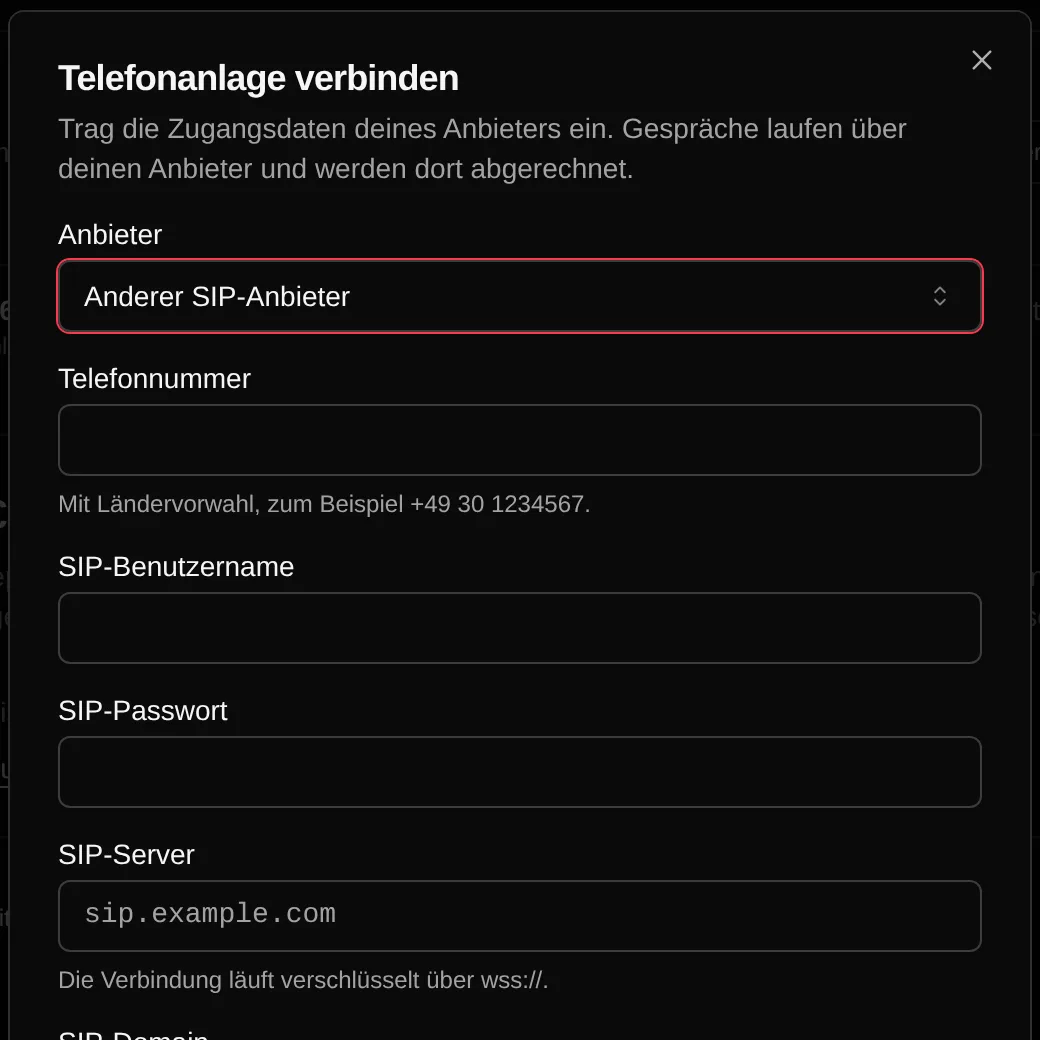
Already with sipgate or another SIP provider? Enter number, username and password, and for other providers also SIP server and domain. The browser connects to your provider directly over an encrypted WebSocket, so your provider has to support that. Your provider bills the calls, not Coldfire. Your balance with us stays untouched.
Verify your own number
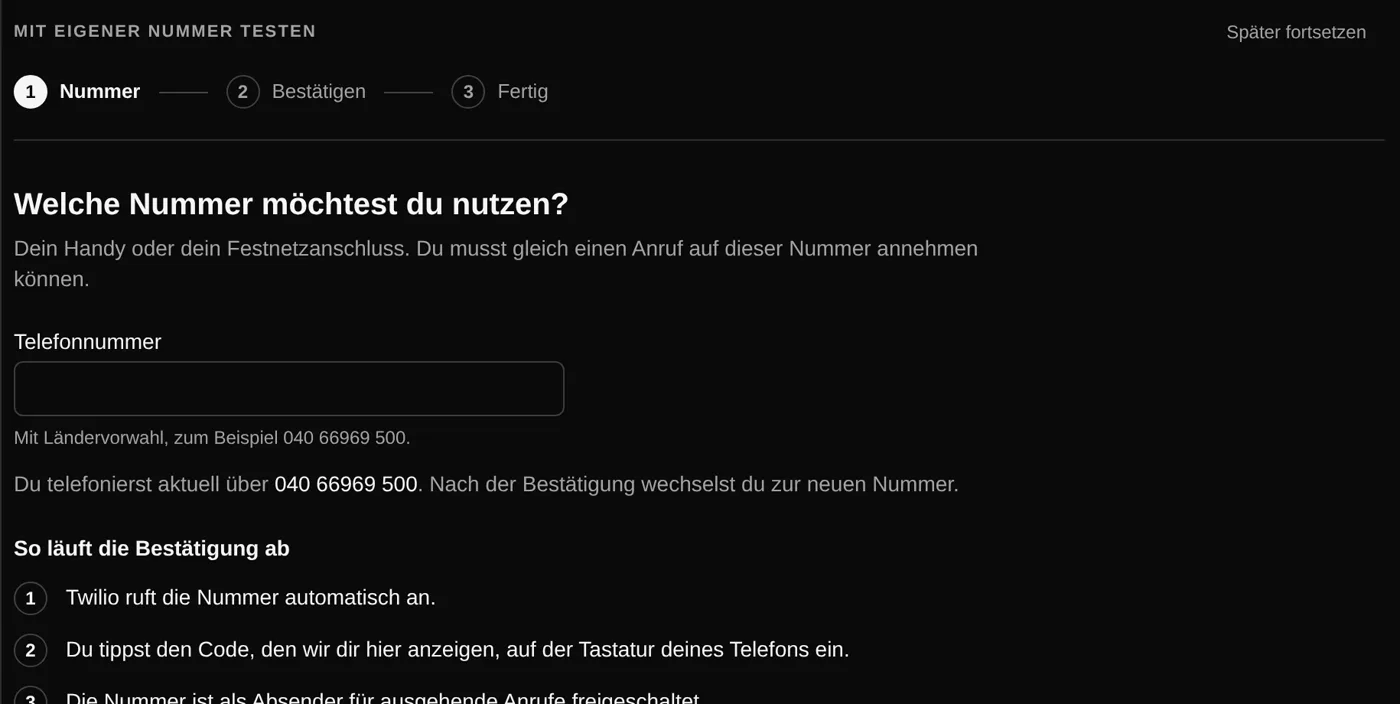
Twilio calls your mobile or landline number and you type in the code shown. After that you call from the CRM and the other side sees your usual number. No monthly fee, you only pay the minutes from your balance. Incoming calls keep ringing on your phone.
Business number in the app
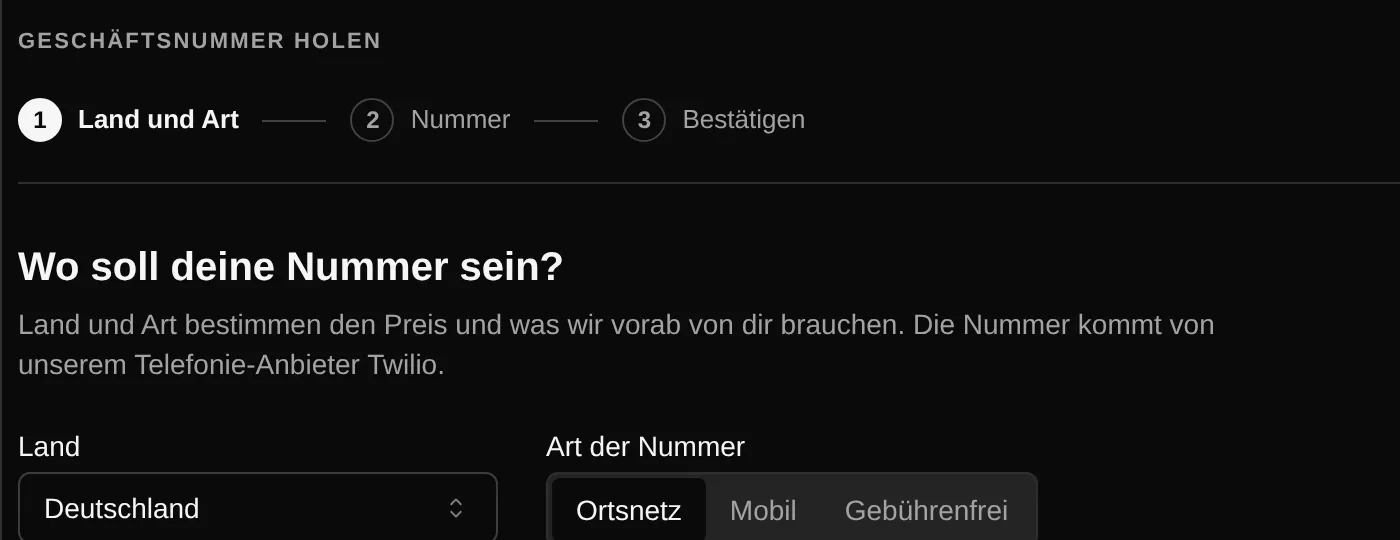
Pick a local, mobile or toll-free number in 21 countries. Incoming and outgoing calls run in the CRM. Depending on the country, the carrier first requires a check of your company, for example with a commercial register extract, and an address matching the area code. The monthly fee and minutes are deducted from your balance. Buying requires an active subscription.
Prepaid balance for Twilio
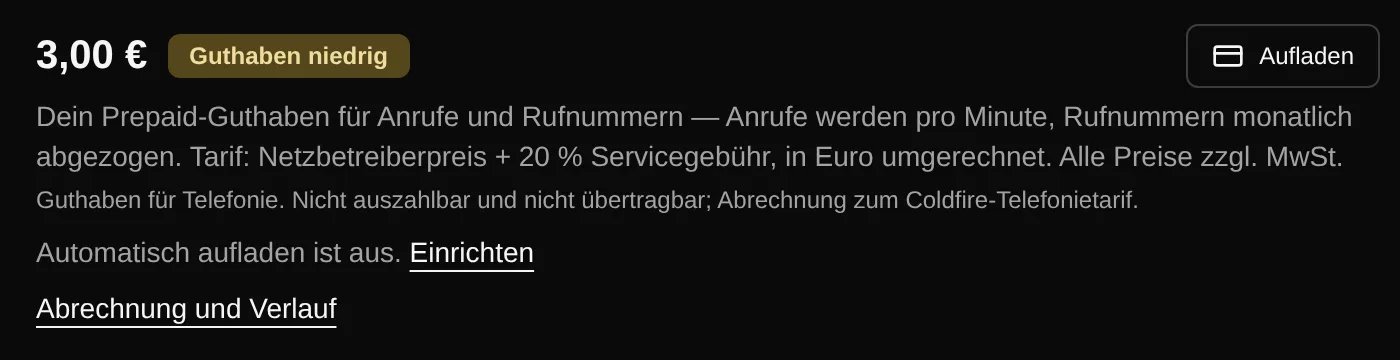
You pay calls and numbers via Twilio from a balance in euros: Twilio's price plus a 20 % service fee. You see the per-minute prices for each country in the settings beforehand. New accounts start with €0 of starting credit. After the trial you top up from €5, automatically if you like, as soon as the balance drops below your threshold.
The call bar
Mute, a keypad for extensions and phone menus, microphone and speaker of your choice. If the connection drops, Coldfire re-establishes it automatically. You set ringtones and call notifications yourself.

Callbacks with a name
When someone calls, Coldfire looks up the number among your leads and contacts. The call bar then shows the name instead of just the number, and the call lands on the right lead. Missed calls are saved too.
Recording and listening in
Every call is recorded in the browser, whichever way you call, and goes to the Call Documentator. On the Team plan, with the right permission, you listen in on your team's running calls from the dashboard.
Who it's for
Callers with a SIP flat rate
Already on a plan with sipgate or another provider? Connect it, and your minutes cost nothing extra in Coldfire.
Teams with a callback number
One business number for everyone: callbacks ring for all assigned colleagues at the same time, and everyone sees which lead is calling.
Trying it out
During the trial, verify your mobile number in about two minutes and call with the starting credit. Or connect your SIP account right away.
Softphone next to the CRM or telephony in Coldfire
| Softphone next to the CRM | Telephony in Coldfire | |
|---|---|---|
| Dialing | copy and paste the number | click on the lead or Power Dialer |
| Installation | softphone on every computer | none, browser and headset are enough |
| Callback | only a number on the display | name and lead while it rings |
| Callbacks in the team | land with one person | ring for everyone assigned |
| Call note | typed into the CRM by hand | recording and Call Documentator |
| Call history | in the softphone, apart from the lead | on the lead and in the call history |
Questions about telephony
Try Coldfire free for 14 days.
Import your leads, connect your phone line, make the first call. Cancel anytime.
